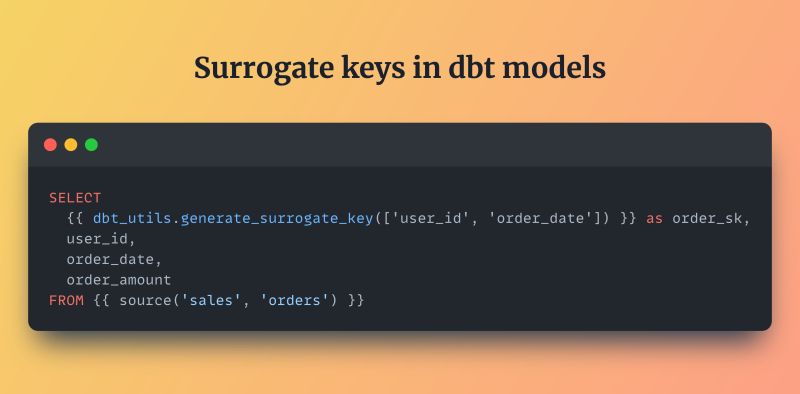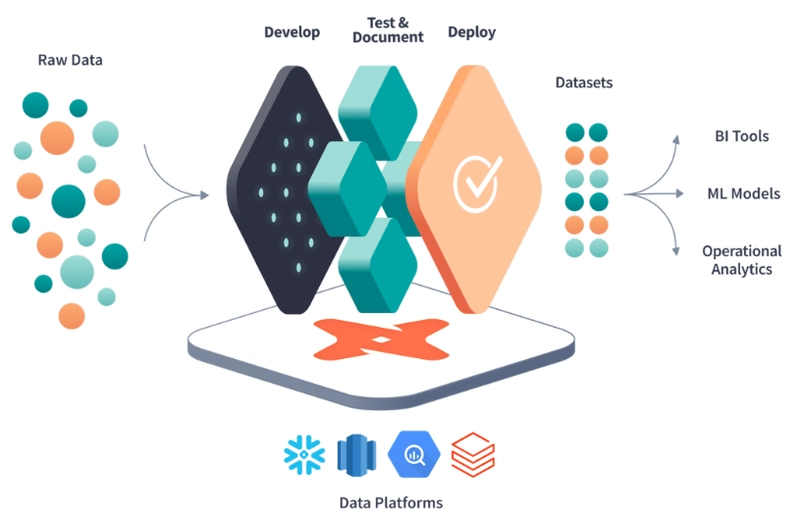

DBT Utils (Data Build Tool) has fundamentally transformed the way data teams approach analytics engineering by treating data as code. Within this ecosystem, the dbt-utils package serves as an extensive library of macros, tests, and utilities that fill gaps in standard functionality, enhancing the capabilities of the core framework. One such utility, the get_column_values macro, plays a pivotal role in dynamic data modeling and testing strategies. By allowing users to programmatically retrieve distinct values from a specific column within a model, this macro enables a level of automation and flexibility that static SQL simply cannot match. It bridges the gap between raw data and metadata, empowering engineers to write more adaptive and resilient data pipelines.
Understanding the mechanics of get_column_values is essential for any analytics engineer looking to level up their dbt utils projects. Instead of hardcoding values into tests or documentation which inevitably leads to maintenance debt as data evolves this macro queries the database to return the current state of a column. This dynamic retrieval means that your documentation can stay in sync with your data automatically, and your tests can adapt to new categories or statuses without manual intervention. It effectively shifts the paradigm from manual upkeep to programmatic governance, ensuring that the metadata layer of your warehouse remains accurate and reliable over time.
The importance of this macro extends beyond mere convenience; it is a cornerstone for building robust data frameworks. When dealing with categorical data, such as order statuses, user segments, or geographic regions, the values often change or expand. Utilizing get_column_values allows teams to generate assertions that verify data integrity based on the actual values present in the warehouse, rather than an outdated list defined in a config file. This results in fewer false positives in testing and ensures that downstream consumers of the data, such as BI tools or dashboards, always have access to valid and expected data points.
The Core Functionality
The get_column_values macro operates by executing a specific SQL query against the target database to extract unique entries from a designated column. This functionality is not just about running a SELECT DISTINCT statement; it is about integrating that result set back into the dbt compilation process. The macro handles the complexities of different SQL dialects, abstracting away the syntax differences between warehouses like Snowflake, BigQuery, and Redshift. This abstraction layer allows developers to write generic dbt code that is portable across various platforms, ensuring that the logic for retrieving column values remains consistent regardless of the underlying infrastructure.
How the Macro Retrieves Data
The macro functions by constructing a query that targets a specific relation and column provided as arguments. It efficiently compiles to a SELECT DISTINCT statement during the dbt run phase. The retrieved data is then returned as a list, which can be iterated over or used in Jinja templates. This process happens dynamically, meaning the values are fetched at runtime or compilation time depending on usage. It ensures that the values used in tests or docs are always the most current snapshot available. By wrapping this logic in a macro, dbt-utils provides a clean, reusable interface for this common operation.
Arguments and Parameters Defined
To utilize the macro effectively, one must understand its required arguments, primarily the table name and the specific column name. It often accepts optional parameters to sort the results or handle null values in specific ways. The default argument can be used to return a fallback value if the column is empty or missing. These parameters provide granular control over the output, allowing for highly customized data retrieval. Proper configuration of these arguments ensures the macro behaves predictably within your specific data environment.
The Underlying SQL Logic
At its core, the macro translates Jinja logic into executable SQL commands that the data warehouse can process. It intelligently manages quoting and identifier resolution to prevent syntax errors in the generated query. The logic accounts for database-specific nuances, such as how different platforms handle distinct operations. By standardizing these variations, it saves the developer from writing complex conditional logic. This abstraction is what makes the macro a powerful tool for cross-platform dbt projects.
Integration and Installation Steps
Incorporating the get_column_values macro into your dbt project is a straightforward process that begins with the installation of the dbt-utils package. This package is a community-maintained collection that acts as a standard extension for the core dbt framework, providing tools that almost every project will eventually need. The integration process ensures that your project has access to the latest macro definitions, allowing you to invoke get_column_values from anywhere in your models, tests, or analyses. Proper setup is the first step toward leveraging dynamic value retrieval to automate your metadata management and testing workflows effectively.
Setting Up the Packages.yml File
You must add the dbt-utils package reference to your packages.yml file located in your project’s root directory. This file acts as the manifest for your project’s dependencies, similar to a requirements.txt file in Python. Specify the exact version or a version range to ensure stability across your production environments. Committing this change to version control ensures that all team members have access to the macro. Once added, you are ready to install the dependency and bring the macro into your local project scope.
Running the dbt deps Command
After updating the packages.yml file, execute the dbt deps command in your terminal to download the package. This command reads the dependencies file and fetches the necessary code from the dbt Package Hub. It installs the dbt-utils repository into the dbt-modules/ directory of your project. Successful execution confirms that your environment can connect to the package repository correctly. You should run this command whenever you update the version number in your configuration file.
Verifying Installation in Your Project
To ensure the macro is available, you can try referencing it in a simple model or a debug statement. Check the dbt_modules/ directory to see the downloaded folder structure of dbt-utils. Look for the macros/get_column_values.sql file within that directory to confirm its presence. You can also run dbt list or dbt show to see if dbt recognizes the macro in the context. Successful verification means your project is now fully equipped to use the functionality immediately.
- Add Package: Include
dbt-labs/dbt_utilsin yourpackages.ymlwith the appropriate version tag. - Install: Run
dbt depsto sync the package with your local environment and download the source code. - Verify: Confirm installation by checking the
dbt_modulesdirectory or calling the macro in a test model.
Practical Use Cases in Data Modeling
The true power of the get_column_values macro becomes evident when applied to real-world data modeling scenarios. Analytics engineers often face the challenge of keeping documentation and tests synchronized with the actual data flowing through the warehouse. Hardcoding lists of acceptable values or categories creates a fragile system where changes in source data can break documentation or cause tests to fail unnecessarily. By using this macro, engineers can implement dynamic systems that adapt to changes in the data schema automatically, significantly reducing the manual overhead associated with maintaining a large-scale analytics project.
Dynamic Testing Based on Values
The macro is frequently used to generate tests that check for unexpected values in a categorical column. Instead of manually listing every possible status, the macro retrieves the current list from the table. Tests can then be configured to ensure that only these valid values are present in related models. This approach is particularly useful for enforcing referential integrity across different layers of the data model. It automates the detection of data anomalies and new categories that require review.
Generating Documentation Snippets
Documentation can be auto-populated with the current distinct values found in a specific column. This ensures that stakeholders viewing the dbt documentation site see up-to-date information. For example, a list of active countries or product tiers can be displayed dynamically. It removes the need to manually update markdown descriptions when data characteristics change. This practice keeps the data catalog accurate and trustworthy for business users.
Handling Status and Type Columns
Status columns often evolve over time, gaining new values as the business logic changes. The macro allows tests to adapt to these new statuses without immediate code changes. It can be used to generate a “source of truth” list for enum-like fields in the warehouse. This is vital for columns that represent finite states, such as order progress or subscription levels. By dynamically fetching these states, the data model remains robust against business evolution.
Advanced Customization and Configuration
While the basic usage of get_column_values is powerful, advanced configurations allow for even greater control over the output and behavior of the macro. As data pipelines grow in complexity, the need to filter, sort, or format the retrieved values becomes necessary to fit specific architectural requirements. The macro supports a variety of parameters that modify the underlying SQL query, enabling users to fine-tune the results to their exact needs. Understanding these advanced options allows data teams to build sophisticated metadata frameworks that are both flexible and precise.
Filtering Results with Where Clauses
You can pass a where clause to the macro to filter the values before they are retrieved. This is useful for excluding archaic values, such as test data or deprecated statuses. It allows you to focus the dynamic retrieval only on relevant, active data segments. The filter is applied directly in the warehouse, optimizing performance and reducing data transfer. This capability transforms the macro from a simple retriever into a targeted data extraction tool.
Ordering and Limiting the Output
The macro supports arguments to order the results alphabetically or by a specific logic. You can also limit the number of values returned, which is helpful for high-cardinality columns. Ordering ensures that generated lists are consistent and predictable, aiding in documentation clarity. Limiting the output can prevent excessive bloat in generated tests or metadata files. These controls help manage the verbosity and relevance of the dynamically generated content.
Handling Nulls and Duplicates
By default, the macro handles distinctness, but null values can sometimes require specific attention. Options exist to either include or exclude null values from the final result set. This is crucial for columns where null represents a distinct and meaningful data state. Proper configuration prevents null values from breaking downstream logic or expectations. It ensures that the list of values aligns perfectly with the business definition of the column.
- Filter: Use the
whereparameter to exclude test data or archived records from the retrieved list. - Sort: Apply the
order_byargument to alphabetize results, making generated documentation easier to read. - Clean: Configure the macro to handle nulls explicitly to ensure they do not interfere with test logic.
Performance Implications and Best Practices
Integrating dynamic macros into your dbt workflow introduces unique performance considerations that must be managed carefully. Since get_column_values executes additional queries against the database, improper use can lead to increased runtimes or resource strain, particularly on large tables. However, when used judiciously, the performance impact is negligible compared to the benefits of automated maintenance. Adopting best practices ensures that you leverage the macro’s power without compromising the efficiency of your data pipelines, keeping your dbt runs fast and your warehouse costs predictable.
Impact on dbt Run Times
Every call to get_column_values results in a separate query execution during the parsing or run phase. On very large tables, this can add a few seconds or minutes to the total project runtime. It is important to weigh this cost against the time saved on manual maintenance and debugging. In most cases, the slight overhead is a worthwhile trade-off for improved data reliability. Monitoring the run logs can help identify if specific calls are becoming bottlenecks.
Caching Strategies for Macros
While dbt does not natively cache macro results across runs in the way materializations do, warehouse caching helps. Since warehouses like Snowflake and BigQuery cache recent query results, repeated calls may be instant. Avoid calling the macro repeatedly inside a loop; instead, store the result in a Jinja variable. This reduces the number of distinct queries sent to the warehouse during a single compilation. Efficient variable management is key to minimizing the performance footprint of dynamic macros.
Optimizing Warehouse Performance
To minimize load, target smaller, aggregated models or source tables rather than massive fact tables. Restrict the columns retrieved to only those strictly necessary for your validation or documentation. Consider using the macro during off-peak hours for heavy documentation generation tasks. By optimizing the data source for the macro, you ensure the warehouse remains responsive for other jobs. Strategic usage ensures that performance remains optimal while maintaining high data quality standards.
- Target Small Tables: Run the macro on aggregated dimensions or unique check tables rather than billions of rows.
- Jinja Variables: Store the result in a variable if the value list is needed multiple times in one file.
- Warehouse Cache: Leverage your data warehouse’s result caching by avoiding frequent schema changes in source tables.
Troubleshooting Common Issues
Even with a robust tool like get_column_values, users may occasionally encounter errors or unexpected behaviors during implementation. These issues often stem from database permissions, syntax errors in Jinja, or changes in the underlying data structure. Being equipped with the knowledge to troubleshoot these common problems ensures that you can quickly resolve interruptions to your workflow. Debugging macro-related errors is a critical skill for any dbt developer, as it ensures that the project continues to run smoothly and that the data pipeline remains resilient to common configuration mistakes.
Resolving Macro Not Found Errors
This error typically indicates that dbt-utils has not been installed correctly or is missing from the project. Double-check your packages.yml file for typos in the package name or version specification. Ensure that you have run dbt deps recently and that there were no network errors during download. Verify that the project context includes the dbt_modules directory in your repository structure. Correcting these configuration issues usually resolves the “macro not found” exception immediately.
Debugging Permission Issues
The macro requires read access to the target table or view to retrieve the column values. If the service user lacks permissions, dbt will throw a database permission error during compilation. Check the roles and privileges assigned to the dbt user in your data warehouse. Ensure that the user can execute SELECT commands on the specified schema and relation. Granting the necessary read permissions allows the macro to function as intended.
Handling Unexpected SQL Exceptions
Sometimes, the data type of the column might cause issues, particularly with complex array or struct types. If the macro generates invalid SQL, inspect the compiled query using the dbt compile command. Check for syntax issues specific to your warehouse dialect that might not be handled by the macro abstraction. Ensuring that the column data type is compatible is crucial for successful execution. Reviewing the logs often reveals the specific SQL syntax that is causing the compilation failure.
Conclusion
The get_column_values macro in dbt utils is an essential tool for modern analytics engineering. It enables dynamic data testing, automates documentation, and significantly reduces maintenance overhead. By retrieving distinct values directly from the warehouse, it ensures that your project stays synchronized with the actual data. Implementing this macro leads to more robust data pipelines and better governance, making it a standard for high-quality dbt projects.